LiDAR Camera Calibrator
Manually refine static LiDAR-to-camera calibration with the data you already have.
LiDAR Camera Calibrator is an open-source PySide6 package for manually refining static LiDAR-to-camera calibration. It provides synchronized playback, a navigable 3D point-cloud view, projected camera overlays, arbitrary-camera calibration, and direction-explicit JSON results.
It is intended for the practical work after a vehicle rig has been assembled: tightening alignment for labeling, validating a sensor setup, investigating a new calibration hypothesis, or experimenting with a different projection. Because vehicle rigs often remain stable for long periods, a deliberate manual refinement pass can be useful when an automatic calibration is unavailable or does not meet the precision needed for a workflow.
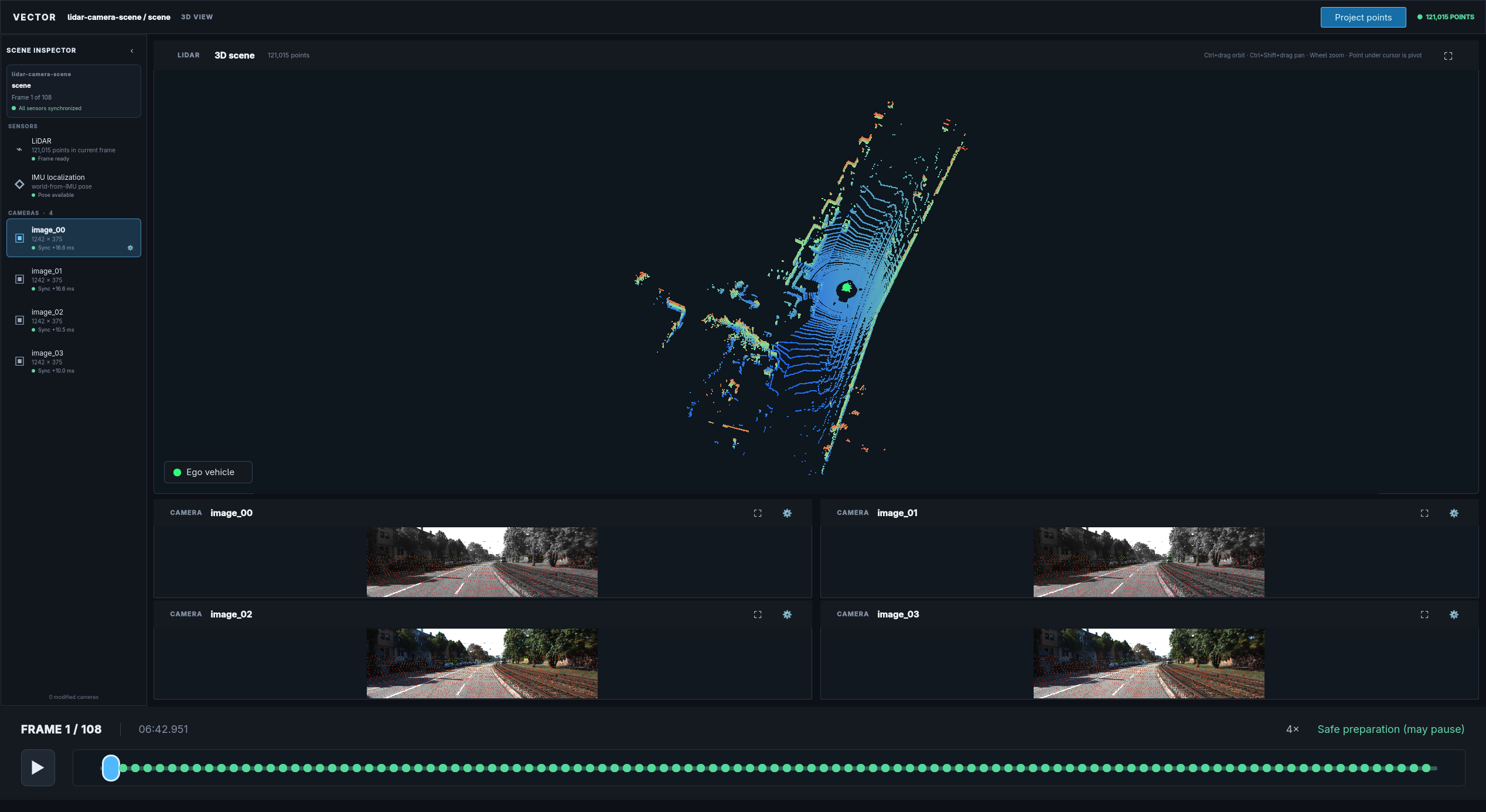
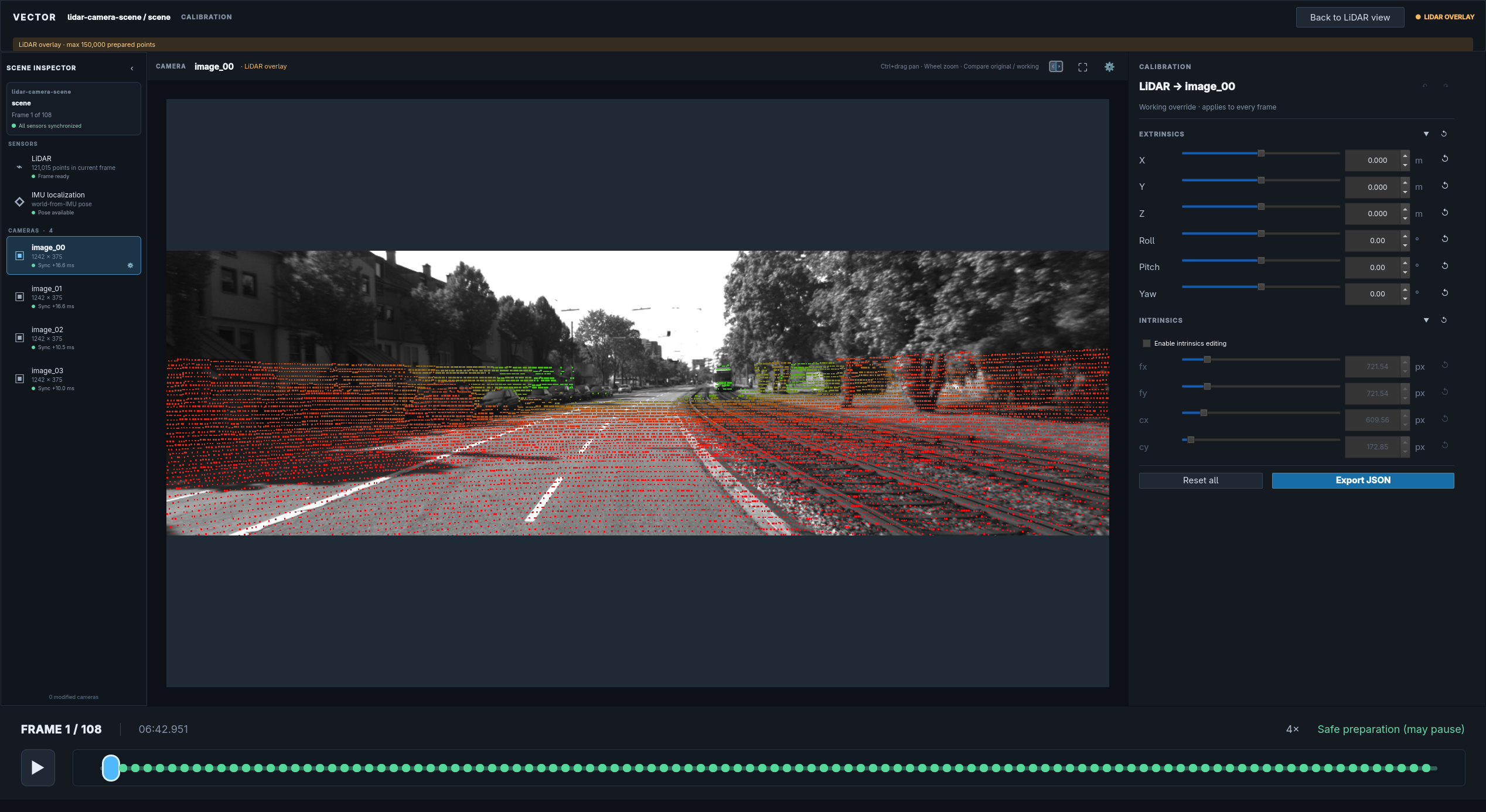
Use any dataset
The package accepts semantic sensor data, not a particular vehicle dataset or directory layout. Your data can come from raw/proprietary files, Python and NumPy arrays, a custom lazy loader, or a supported standard Foxglove MCAP recording. KITTI is available as an optional, tested example pipeline.
The generic integration boundary is:
- timestamped LiDAR point clouds;
- one or more timestamped camera streams;
- camera intrinsics and image dimensions;
- a connected, acyclic transform path from every sensor to IMU;
- timestamped world-from-IMU poses covering the LiDAR timeline.
Provide those values through ordinary Python/NumPy sequences, lazy application-owned sequences, or the included Foxglove adapter. The profile writer validates and synchronizes the complete dataset before creating portable lidar-camera-scene/1 MCAP.
Workflow
from lidar_camera_calibrator import CalibrationConfig, launch_calibrator, write_profile_mcap

write_profile_mcap(source_config, "scene.mcap")
result = launch_calibrator("scene.mcap", CalibrationConfig())
The separation is intentional:
- Your source integration interprets raw or standard source data.
- The profile writer validates and atomically normalizes it.
- The canonical reader/viewer operates on one stable contract.
- Calibration JSON remains separate from immutable scene recordings.
Choose an integration path
| Your data | Start here |
|---|---|
| NumPy arrays or Python objects | Direct data integration |
| Proprietary/raw files | Raw files and custom loaders |
| Foxglove JSON/base64 MCAP | Foxglove MCAP |
| KITTI test data | KITTI development adapter |
| Existing canonical scene | Launch the viewer |
Stability
The package is currently alpha (0.1.x). The serialized lidar-camera-scene/1 schemas are frozen, while Python APIs follow semantic versioning as the first public release is prepared.